Cobber Casino Mobile Australia: App, PWA and Browser Experience
 Available in AU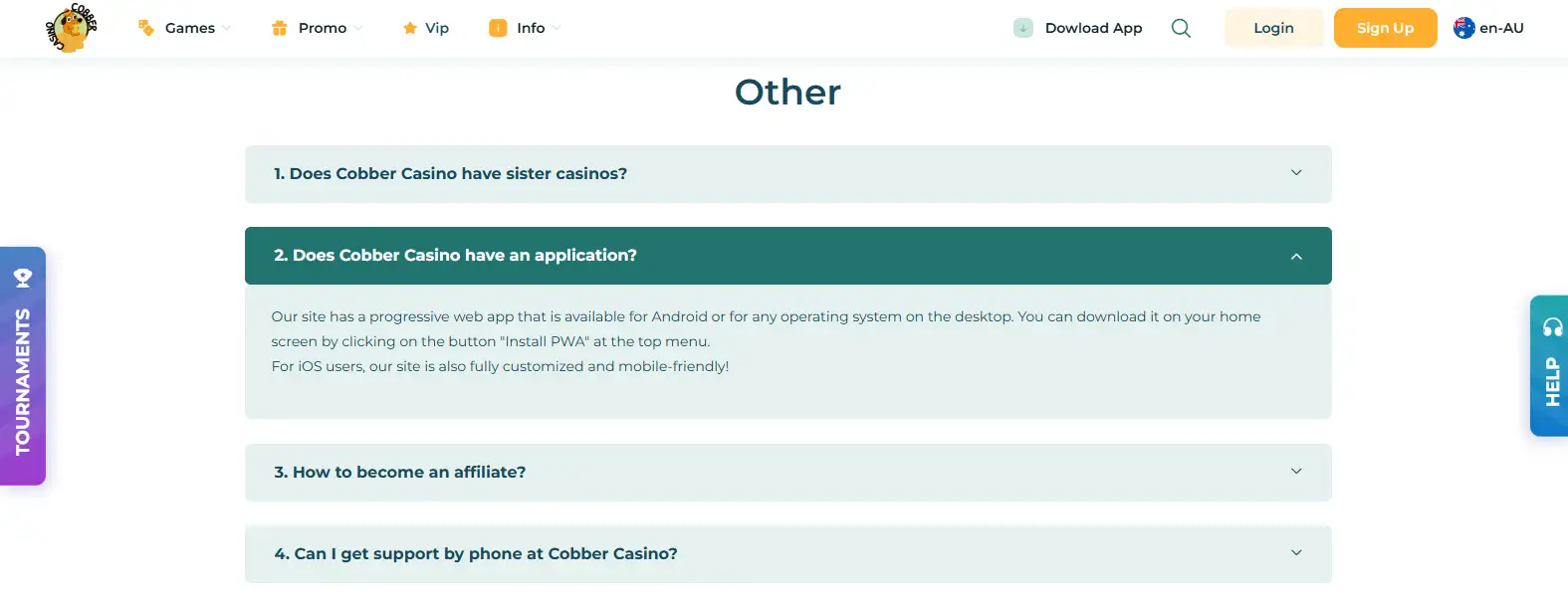
Contents
Cobber Casino has a progressive web app for Android and desktop, and its current FAQ says the site is customised for iOS users through the mobile browser. We did not verify a dedicated native iPhone app. That distinction matters because a search for a “Cobber Casino app” can refer to three different things: a native store app, an installable progressive web app, or the ordinary casino website opened in a mobile browser.
For Australian readers, the verified options are straightforward. The PWA is the installable option Cobber currently documents for Android and desktop, while iPhone users can use the mobile-friendly site in their browser. The safest way to evaluate the mobile setup is therefore to start with the access method you actually use rather than assume an App Store or Google Play listing exists.
Cobber app options at a glance
| Access type | Verified status | What it means for the user |
|---|---|---|
| Android PWA | Verified | Cobber’s FAQ says its progressive web app can be installed from the site’s “Install PWA” control. |
| Desktop PWA | Verified | The same FAQ says the PWA is available on desktop operating systems. |
| iPhone / iOS browser | Verified | Cobber says the site is customised and mobile-friendly for iOS users. |
| Dedicated native iOS app | Not verified | This guide does not claim an App Store app exists. |
| Dedicated Google Play app | Not claimed | The verified Android route is the PWA documented by Cobber, not an invented store listing. |
The table is intentionally precise about platform type. A PWA can feel app-like because it can be placed on a home screen, but it is still based on the website rather than a separately verified native-store product. That is why this page uses “PWA” where the official support page uses PWA, and does not silently replace that term with “Android app” in a way that could imply a Google Play download.
Native app, PWA and mobile browser are not the same thing
For this guide, a native app means a platform-specific application distributed as an app product. A progressive web app is the website packaged for an installable, app-like browser experience. Mobile browser access means opening the responsive website normally without installing it to the device.
Those distinctions are practical rather than cosmetic. If you are looking for a store listing, the current evidence does not justify telling you to search for one. If you want an icon on an Android home screen, Cobber’s own support guidance points to its PWA. If you use an iPhone, the verified route is the mobile-friendly site in the browser.
This is also why third-party phrases such as “mobile app” need to be read carefully. They can describe a mobile product in a broad sense without proving that a native iOS or Android store application exists. The official support wording is more specific, so this page follows it.
How Cobber says to install the PWA
Cobber’s current FAQ gives a short installation instruction: use the “Install PWA” button in the top menu and add the progressive web app to the home screen. That is the only installation route this page treats as verified. The exact appearance of the browser prompt can vary with device and browser, so users should follow the current Cobber control rather than a generic installation example.
- Open the current Cobber site on a compatible Android device or desktop browser.
- Look for the “Install PWA” control described in Cobber’s own FAQ.
- Follow the browser or operating-system prompt if it appears.
- After installation, use the resulting shortcut to reopen the Cobber web experience.
This guide does not provide sideload files, APK links or unofficial mirrors. None are needed to describe the verified PWA route, and inventing an alternative download path would create unnecessary security and accuracy problems.
What iPhone users can verify today
The official FAQ does not describe a dedicated native iOS application. Instead, it says the site is customised and mobile-friendly for iOS users. That supports a clear practical conclusion: an iPhone user should approach Cobber as a mobile website unless the operator later publishes a separately verifiable native app.
That may sound like a small wording difference, but it prevents a common error in casino reviews. A page that says “iOS supported” is not automatically evidence of an App Store product. Here, iOS support is verified at the browser-experience level. If the product changes later, the correct update would be to recheck the official support page and any real store listing rather than infer one from responsive-site access.
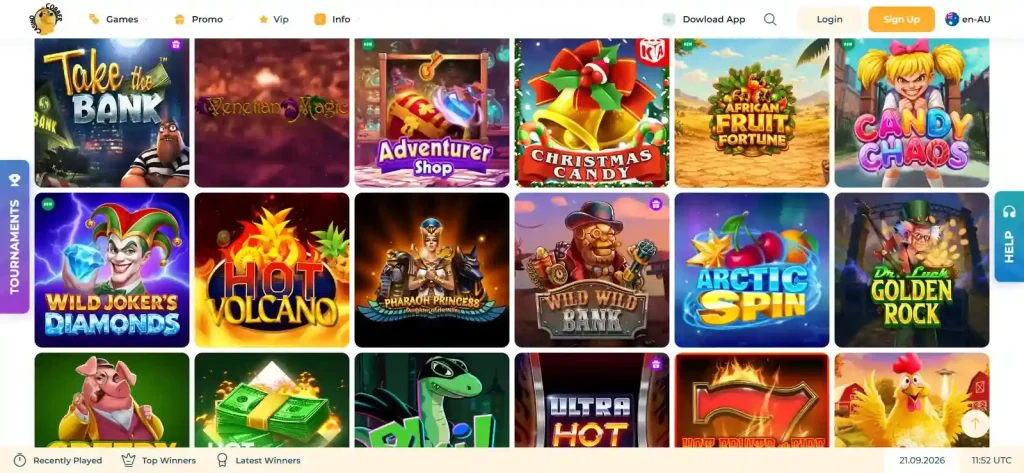
For the wider product rather than the access layer, see the Cobber games guide. It explains the current catalogue, provider filters and Australia-specific provider restrictions without assuming that every globally integrated title is visible in every Australian session.
Mobile registration, payments and account tasks
The mobile experience should not be evaluated only by whether a lobby fits on a small screen. Account creation, deposits, withdrawals and verification can become more important than the game grid once real account rules are involved. Those account processes have separate rules and checks that remain the same regardless of screen size.
For sign-up fields and account rules, use the Cobber registration guide. For currencies, minimum amounts and verified payment categories, use the Cobber payment methods page. AUD is a supported Cobber account currency, but that does not mean every payment method discussed in the Australian market is necessarily available in the live Cobber cashier.
The same separation matters for identity checks. A mobile-friendly website does not remove KYC requirements or account rules. The registration and KYC pages explain those requirements using current terms rather than treating “mobile” as a shortcut around normal account verification.
Mobile access does not change geographic or provider restrictions
Using a phone instead of a desktop does not create a different regulatory or game-provider status. Cobber’s current terms contain provider-specific restrictions that name Australia for some game providers, and the FAQ warns against using VPNs to bypass country restrictions. The mobile route should therefore be treated as another way to access the same service, not a workaround for content that is restricted by location.
If a game or provider is unavailable in your current session, switching devices is not evidence that the restriction no longer applies. The correct reference point is the live Australian lobby and the current terms. Do not use a VPN or similar tool to try to bypass the restriction.
The broader distinction between Cobber’s offshore licence and Australian regulation belongs on the Cobber licence page. This mobile guide keeps the issue narrow: app architecture and device choice do not alter the underlying account, payment or provider rules.
What to check before relying on the mobile setup
- Platform: decide whether you need an installable PWA or are comfortable using the browser.
- Installation source: use the operator’s documented PWA control rather than an unofficial download mirror.
- iPhone wording: treat iOS browser support separately from a native iPhone app claim.
- Game availability: check the live Australian lobby for the providers or titles you actually care about.
- Cashier details: verify the payment method shown in your account rather than assuming a common Australian method is supported.
- Account rules: remember that mobile access does not change registration, duplicate-account or KYC conditions.
This checklist is more useful than a generic statement that a casino is “mobile optimised”. It tells you what the current evidence actually proves and what still needs to be checked in the live account environment.
Why precise app wording matters
Mobile casino pages often collapse every phone-friendly experience into the word “app”. That makes comparison harder because two sites can both be described as app-ready while using different delivery models. For Cobber, the verified wording gives a cleaner comparison point: Android and desktop have a documented PWA route, while iOS is supported through the mobile-friendly site and no dedicated native iOS app was verified.
Keeping those labels separate also makes future updates easier. If Cobber later publishes a separately verifiable store app, that can be added as a new product fact. Until then, the current PWA and browser wording tells the reader exactly what has been verified without filling the gap with an assumed download.
Strengths and limitations of the verified mobile setup
The main strength is clarity: Cobber documents an Android/desktop PWA and a mobile-friendly iOS route, so users do not need a native store application to access the site from a phone. A PWA also gives users who want a home-screen shortcut a documented installation option.
The main limitation is equally clear. No dedicated native iOS app is currently verified, and no Google Play application is claimed. Readers who specifically want a store-distributed native product should not treat the PWA as the same thing. The difference is not a criticism of the browser product; it is simply the accurate description of the currently documented access options.
We also do not publish speed rankings, loading-time benchmarks, battery-use claims or download-size figures because those would require repeatable device testing. The focus here is the documented access architecture rather than synthetic performance scores.
Current source check
The mobile access statements were rechecked on 17 September 2026. Cobber’s current FAQ still says the site has a progressive web app for Android and desktop, tells users to use the “Install PWA” control, and describes the iOS site as customised and mobile-friendly. The Australian edition remains available in English.
Official sources: Cobber FAQ and Cobber Australian edition.
For the complete operator overview, return to the Cobber Casino Australia review.
This material was created by the Cobber Casino Australia Guide team.
Related posts
Cobber Casino Games Australia: Library, Providers and Restrictions
Cobber Casino Bonus Australia: Welcome Offer and Key Terms